> ## Documentation Index
> Fetch the complete documentation index at: https://support.betalented.ai/llms.txt
> Use this file to discover all available pages before exploring further.
# Post a job
> Create a new job post with skills-based requirements and matching.
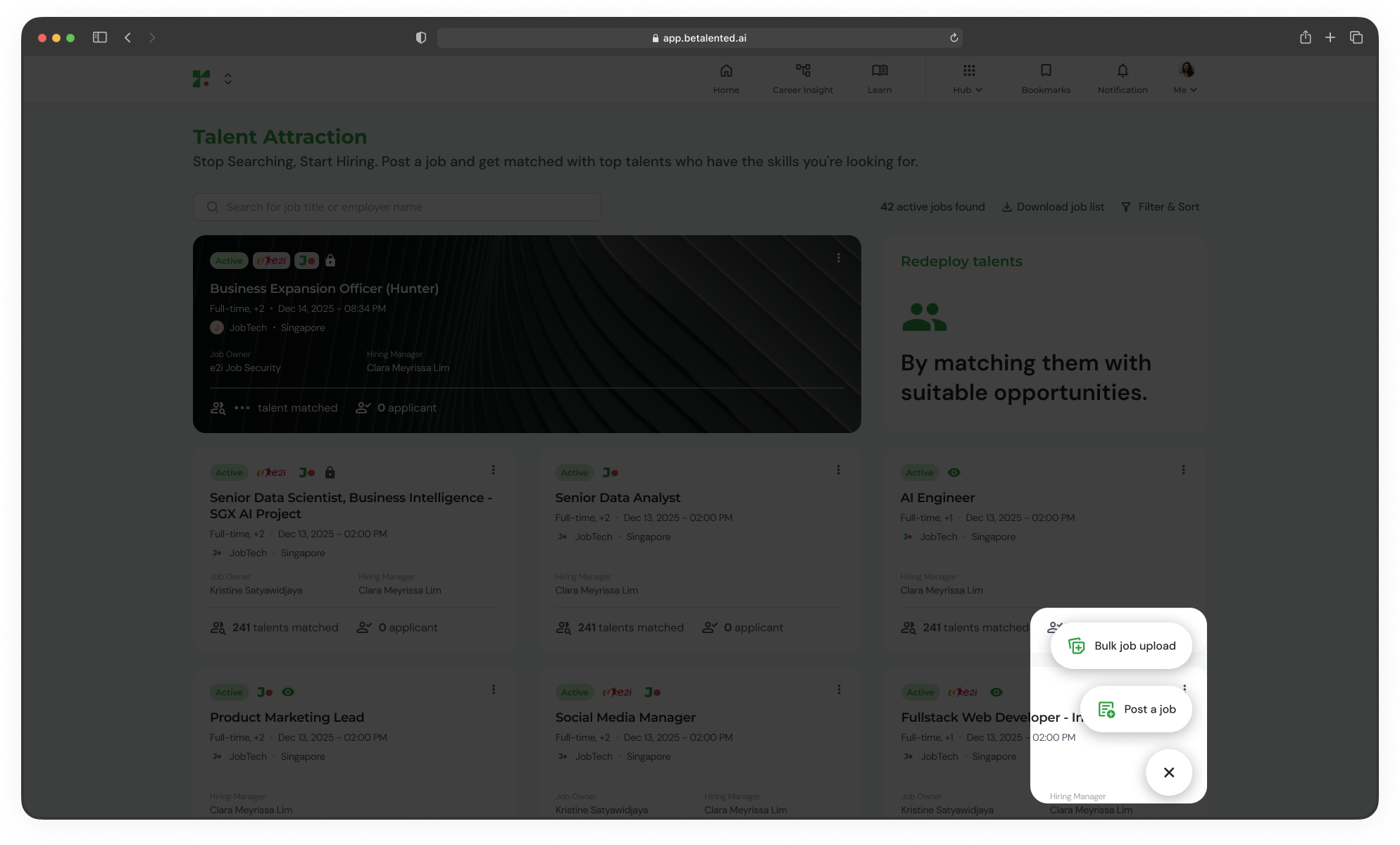 Follow the guided flow to create a job post that leverages skills-based matching to find the right candidates.
## Job posting flow
Define the basic details of the job.
Follow the guided flow to create a job post that leverages skills-based matching to find the right candidates.
## Job posting flow
Define the basic details of the job.
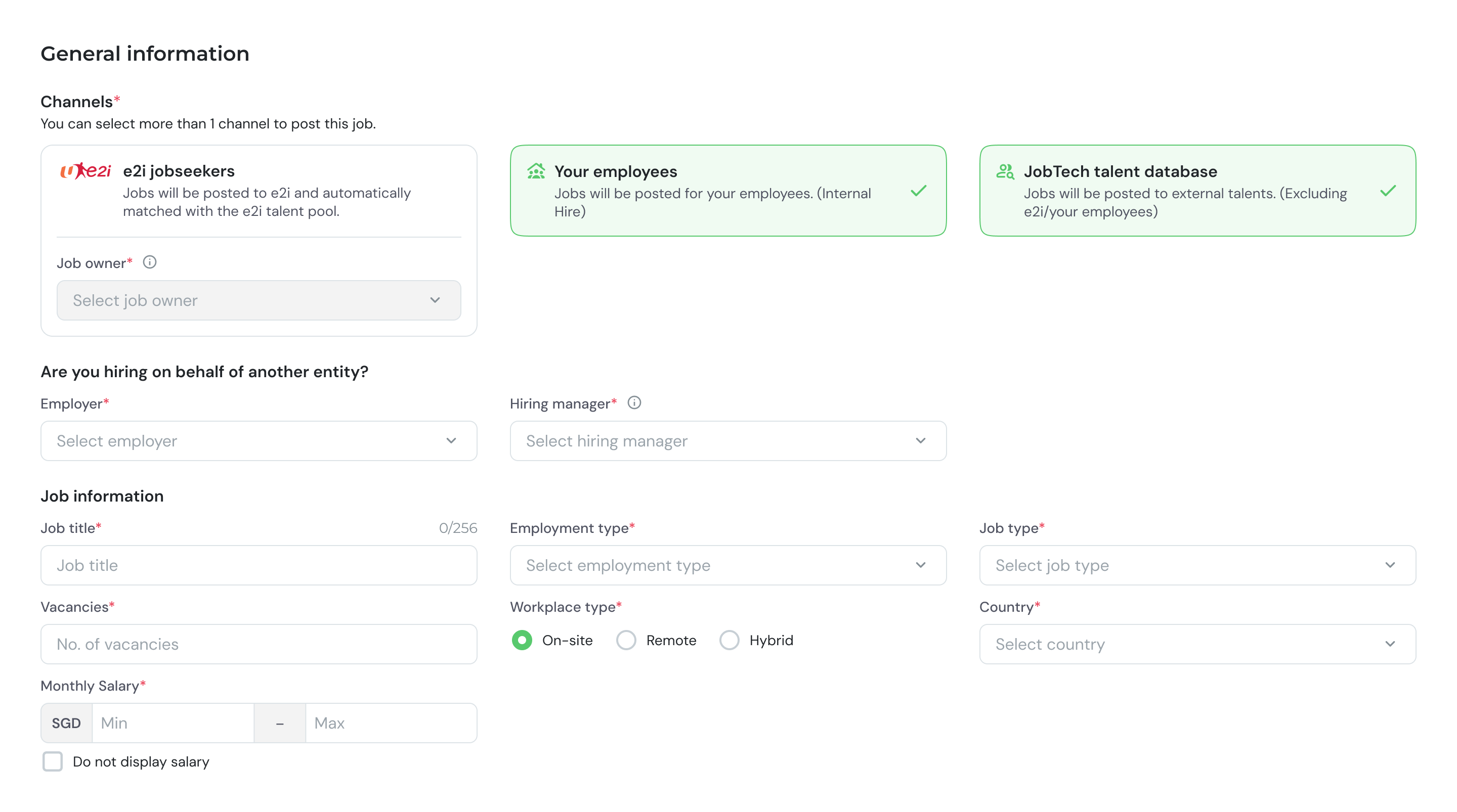 Fill in the following fields:
| Field | Description |
| :------------------ | :------------------------------------------------------------------- |
| **Channels** | Select e2i jobseekers, Your employees, and/or JobTech talent databse |
| **Employer** | The hiring company |
| **Hiring manager** | Person overseeing the role |
| **Job owner** | Person accountable for the posting |
| **Job title** | Title of the position |
| **Employment type** | Full-time, Part-time, Contract, etc. |
| **Job type** | Classification of the role |
| **Vacancies** | Number of openings |
| **Workplace type** | Remote, Hybrid, or On-site |
| **Salary range** | Minimum and maximum compensation |
Provide a detailed description of the role and its responsibilities.
Fill in the following fields:
| Field | Description |
| :------------------ | :------------------------------------------------------------------- |
| **Channels** | Select e2i jobseekers, Your employees, and/or JobTech talent databse |
| **Employer** | The hiring company |
| **Hiring manager** | Person overseeing the role |
| **Job owner** | Person accountable for the posting |
| **Job title** | Title of the position |
| **Employment type** | Full-time, Part-time, Contract, etc. |
| **Job type** | Classification of the role |
| **Vacancies** | Number of openings |
| **Workplace type** | Remote, Hybrid, or On-site |
| **Salary range** | Minimum and maximum compensation |
Provide a detailed description of the role and its responsibilities.
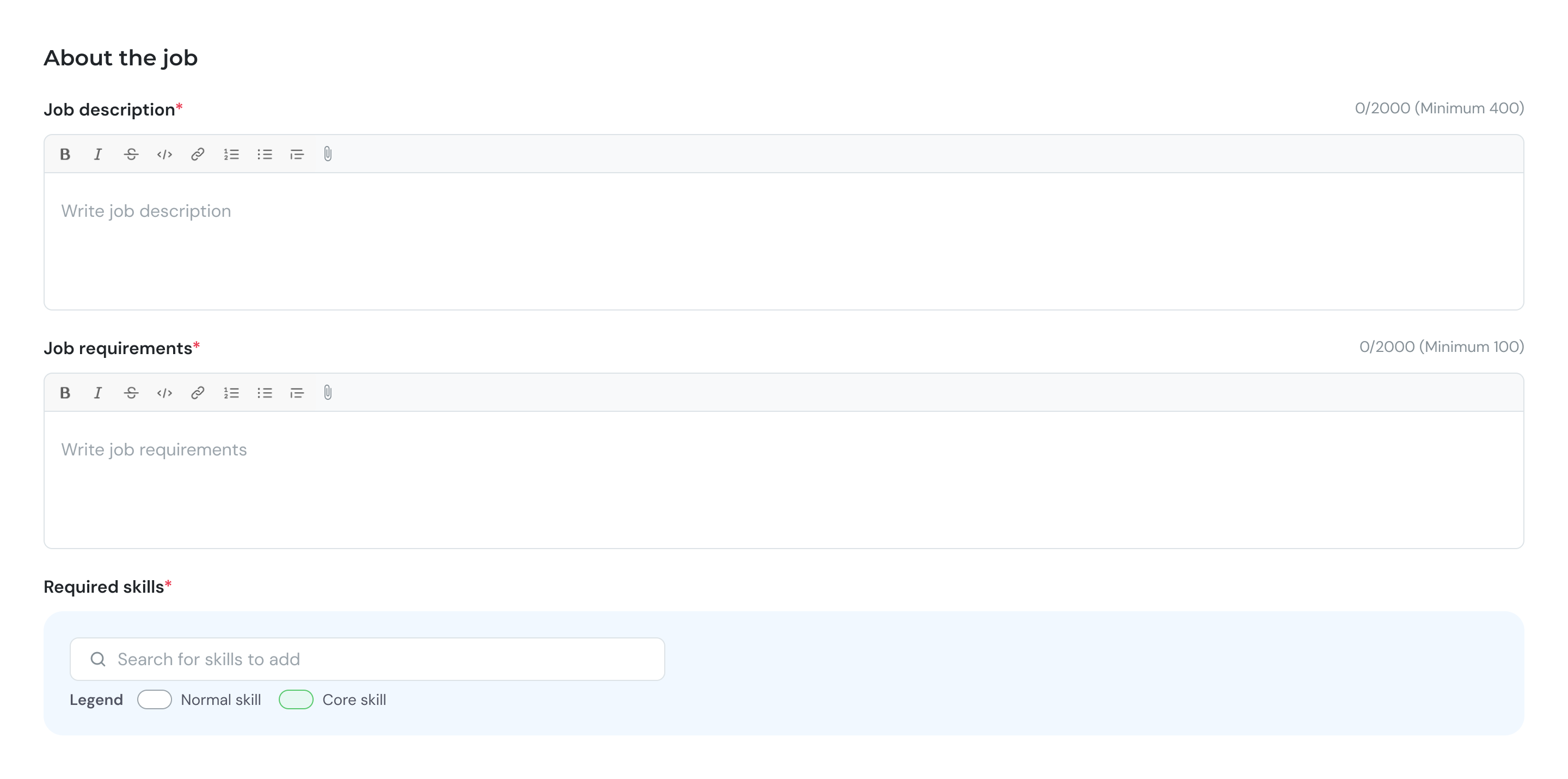 Write a clear overview covering:
* Key responsibilities
* Day-to-day activities
* Team structure and reporting line
Define some hiring and academic requirements.
Write a clear overview covering:
* Key responsibilities
* Day-to-day activities
* Team structure and reporting line
Define some hiring and academic requirements.
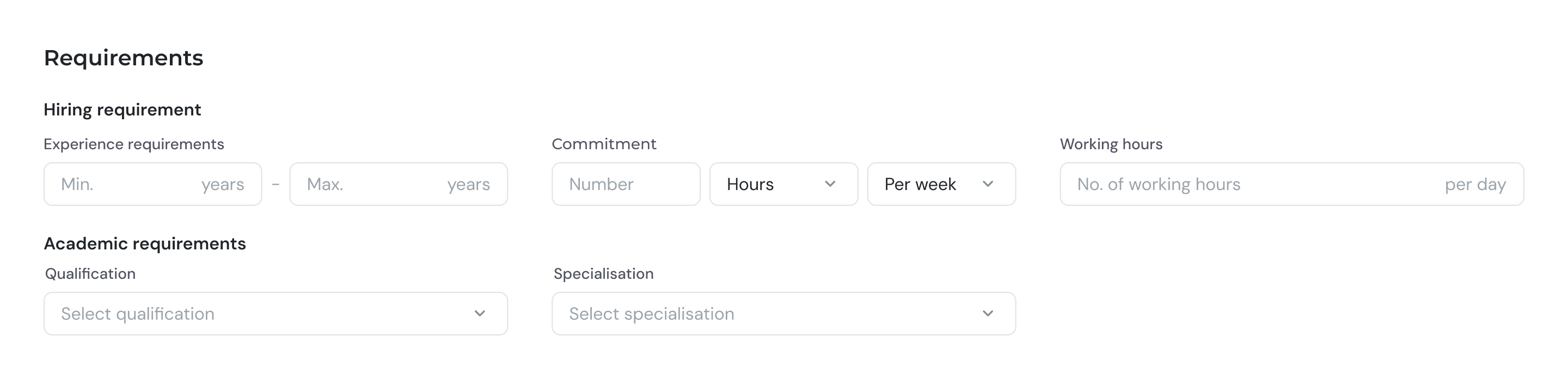 Set experience requirements and other preferences.
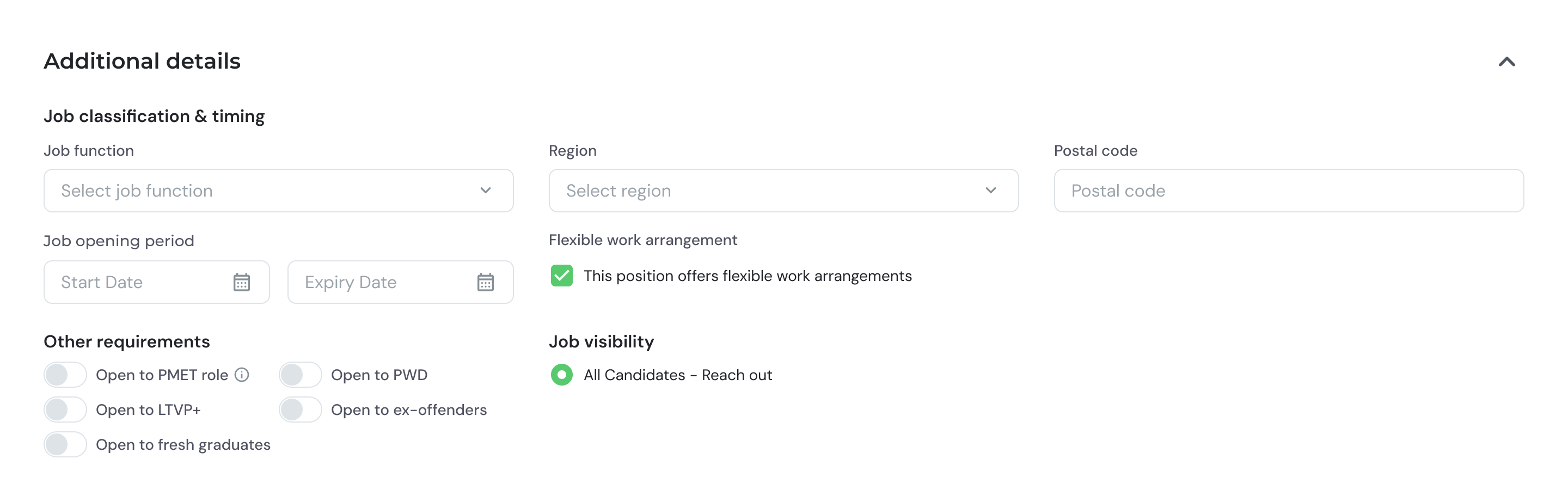 Review all details before submitting.
* Confirm all sections are complete
* Click **Post** to submit the job post.
* If you are e2i Partner Employer, you might need to wait for the e2i Job Owner approval.
***
## Bulk upload
For posting multiple jobs at once, use the bulk upload feature. [Download template here.](https://uat.betalented.ai/download/ta-jobs-bulk-upload-template/1)
Download the CSV template from the Talent Attraction dashboard.
Enter job details for each position in the template file.
Upload the completed file. The system will map each column to the corresponding field.
Review the imported data for accuracy, then confirm to create all job posts.
Ensure all required fields are filled in the template. Incomplete rows may be rejected during import.
Review all details before submitting.
* Confirm all sections are complete
* Click **Post** to submit the job post.
* If you are e2i Partner Employer, you might need to wait for the e2i Job Owner approval.
***
## Bulk upload
For posting multiple jobs at once, use the bulk upload feature. [Download template here.](https://uat.betalented.ai/download/ta-jobs-bulk-upload-template/1)
Download the CSV template from the Talent Attraction dashboard.
Enter job details for each position in the template file.
Upload the completed file. The system will map each column to the corresponding field.
Review the imported data for accuracy, then confirm to create all job posts.
Ensure all required fields are filled in the template. Incomplete rows may be rejected during import.