> ## Documentation Index
> Fetch the complete documentation index at: https://support.betalented.ai/llms.txt
> Use this file to discover all available pages before exploring further.
# Team & members
> View your team dashboard, explore member profiles, and share recommendations.
This section is available to users with a **Manager** role.
The Team & Members feature gives managers a bird's-eye view of their team's skills, strengths, and development areas. From here, you can explore individual profiles, identify skill gaps, and send targeted recommendations to support your team's growth.
## Team Insights
When you open Team & Members, you will see a high-level summary of your team's learning and development.
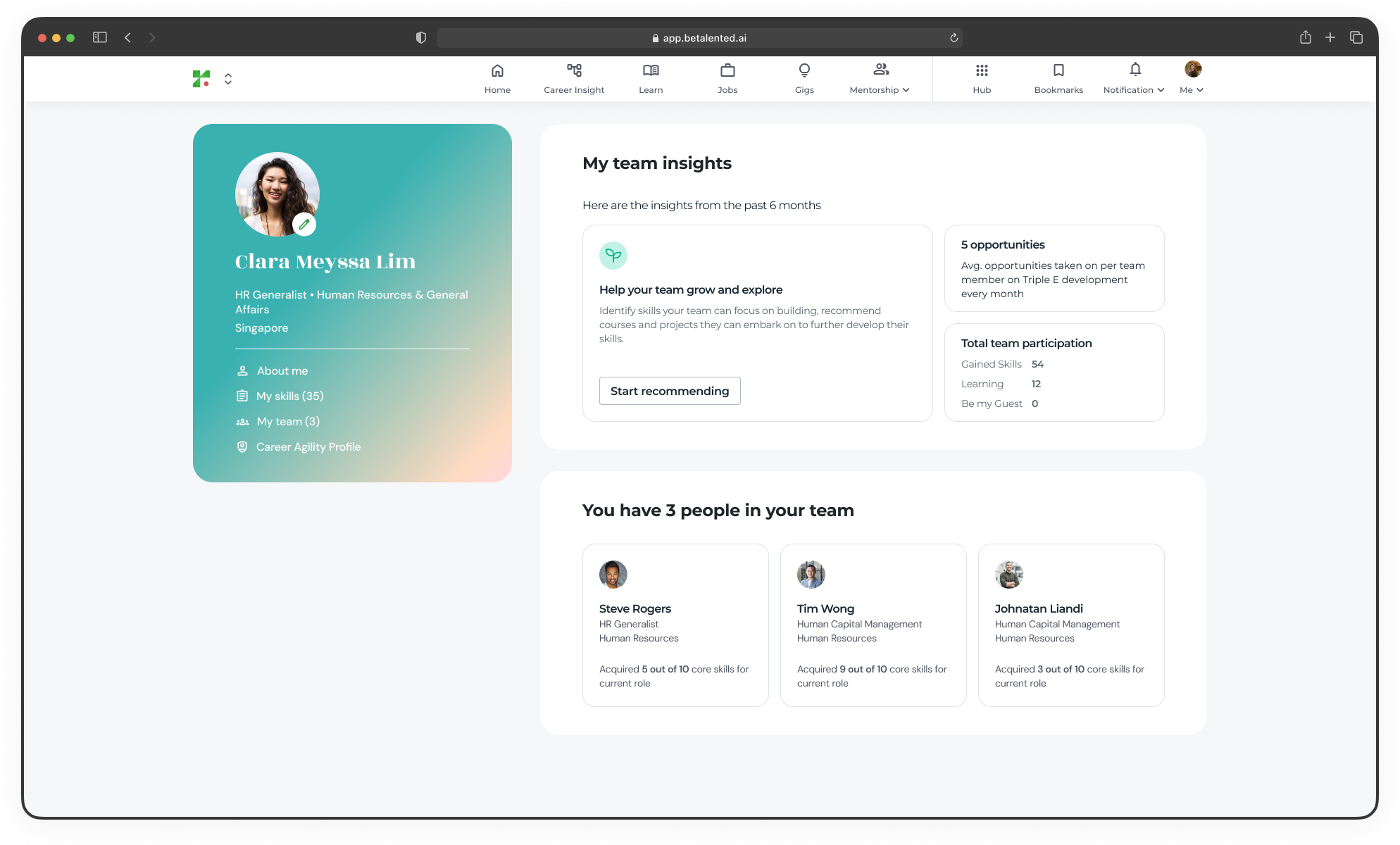 * Avg. opportunities taken on per team member on Triple E development every month
* Total team participation (Skills gained, Learning and Gigs)
***
## Member profiles
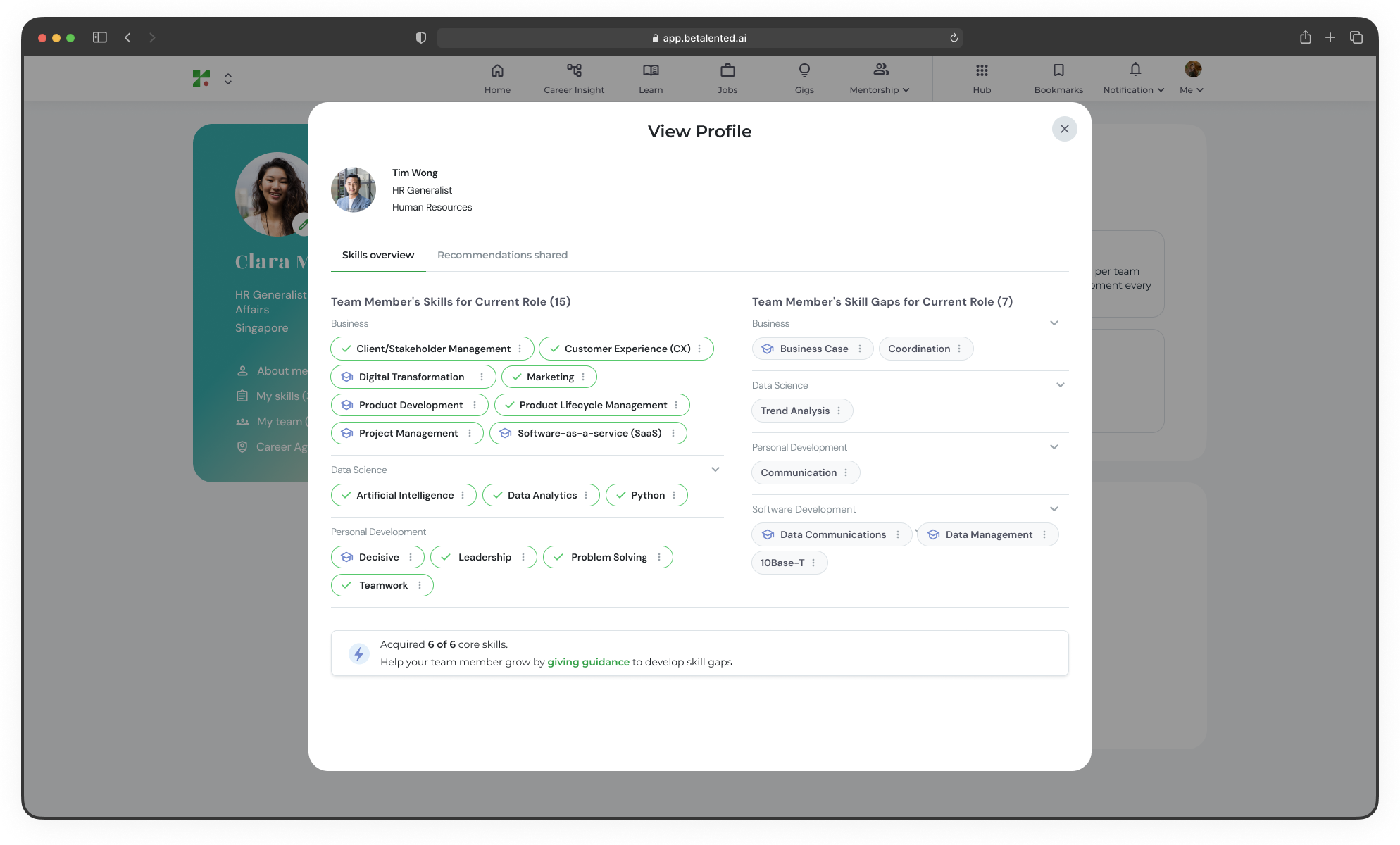
Click on any team member to view their individual talent profile, skills overview and recommendations shared.
* Avg. opportunities taken on per team member on Triple E development every month
* Total team participation (Skills gained, Learning and Gigs)
***
## Member profiles
Click on any team member to view their individual talent profile, skills overview and recommendations shared.
 ***
## Help your team grow and explore
As a manager, you can recommend specific skills for learning, gigs, or jobs opportunities to your team members.
***
## Help your team grow and explore
As a manager, you can recommend specific skills for learning, gigs, or jobs opportunities to your team members.
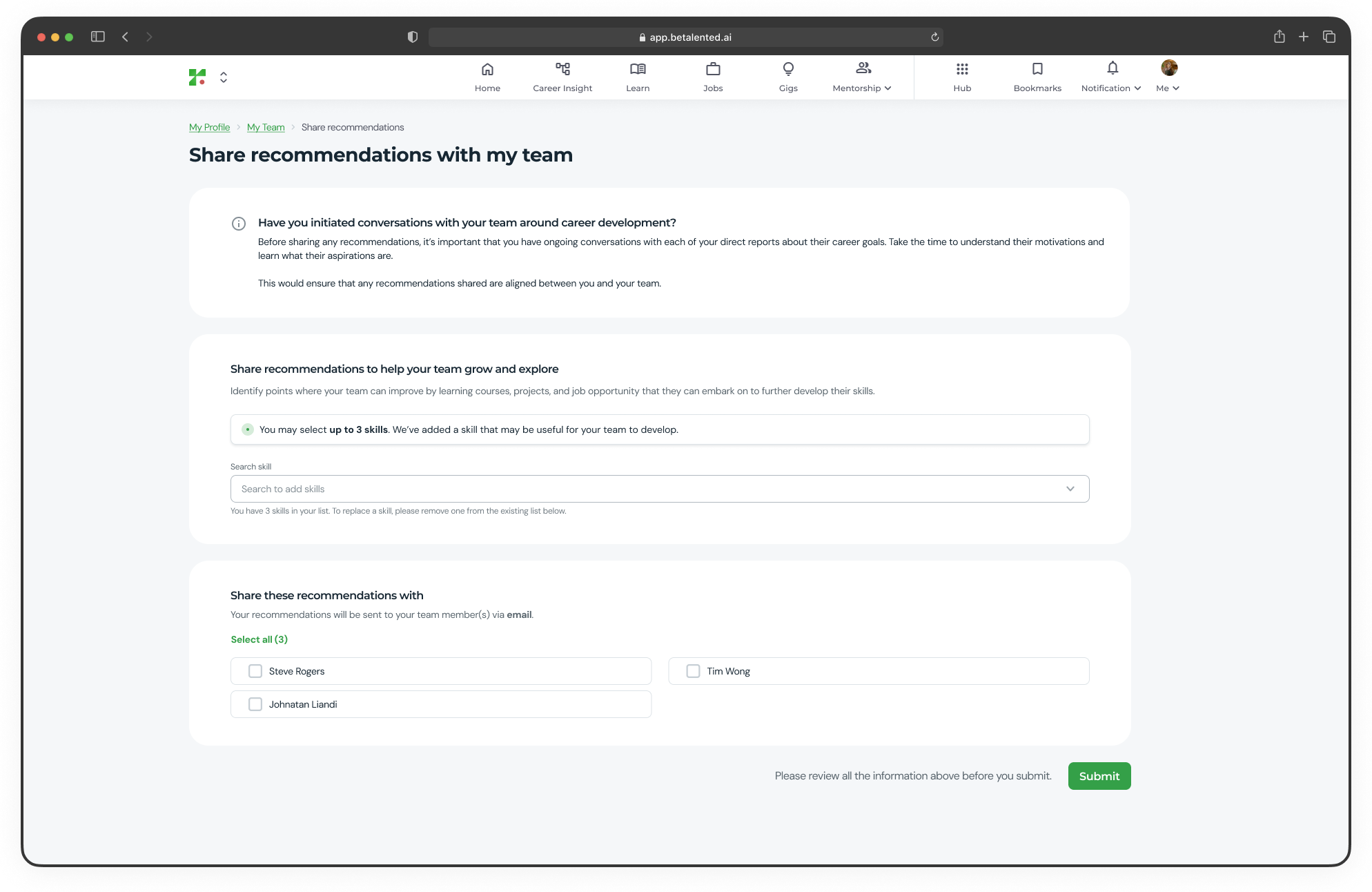 From the Team & Members page, click **Start recommending**.
Inside the [share recommendations](https://app.betalented.ai/manager/team-share-recommendations) page, search and select the skills you want to recommend. For each skill, you can:
* Add a personalised note explaining why you think the skill is relevant
* Attach recommended learning opportunities or gig opportunities
Select which team members will receive the recommendations. You can choose one or more members from your team.
Review all the information and click **Submit**. The selected team members will be notified by email.
When recommending skills, include a note explaining the context — for example, how the skill connects to an upcoming project or the team member's career aspirations.
From the Team & Members page, click **Start recommending**.
Inside the [share recommendations](https://app.betalented.ai/manager/team-share-recommendations) page, search and select the skills you want to recommend. For each skill, you can:
* Add a personalised note explaining why you think the skill is relevant
* Attach recommended learning opportunities or gig opportunities
Select which team members will receive the recommendations. You can choose one or more members from your team.
Review all the information and click **Submit**. The selected team members will be notified by email.
When recommending skills, include a note explaining the context — for example, how the skill connects to an upcoming project or the team member's career aspirations.