> ## Documentation Index
> Fetch the complete documentation index at: https://support.betalented.ai/llms.txt
> Use this file to discover all available pages before exploring further.
# Managing your profile
> How to update your CV, profile picture, and professional summary.
Your profile is how you present yourself to the platform and potential internal opportunities. Keeping it up-to-date ensures you get the most accurate recommendations.
## Updating your personal information
You can access your profile settings by clicking on your avatar in the top right corner of the dashboard.
### Profile picture
A professional profile picture helps personalize your experience.
1. Go to [Profile page](https://app.betalented.ai/profile).
2. Hover over the avatar placeholder.
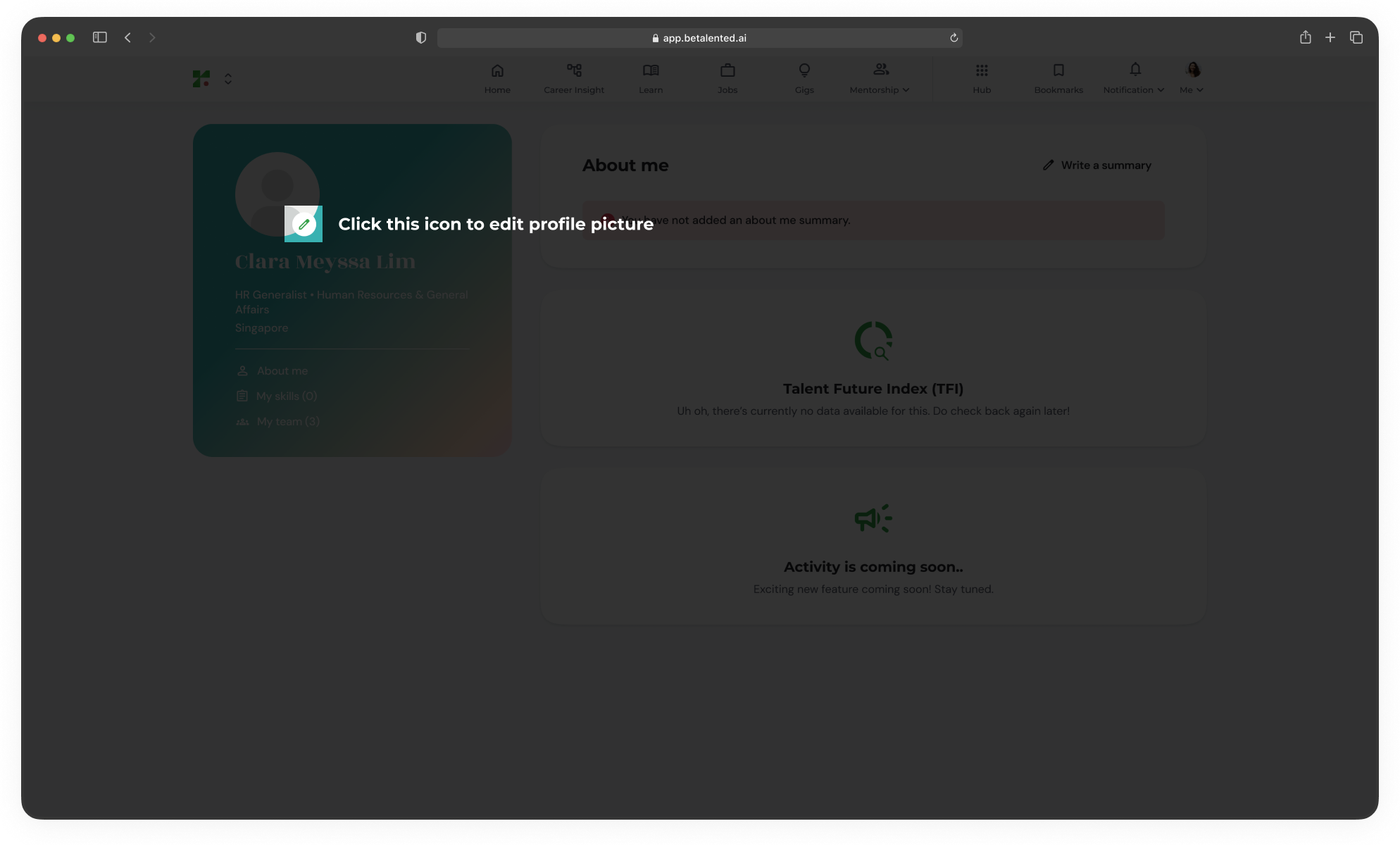 3. Click **Upload Photo**.
4. Select a square image from your computer (JPG or PNG).
### Professional summary
3. Click **Upload Photo**.
4. Select a square image from your computer (JPG or PNG).
### Professional summary
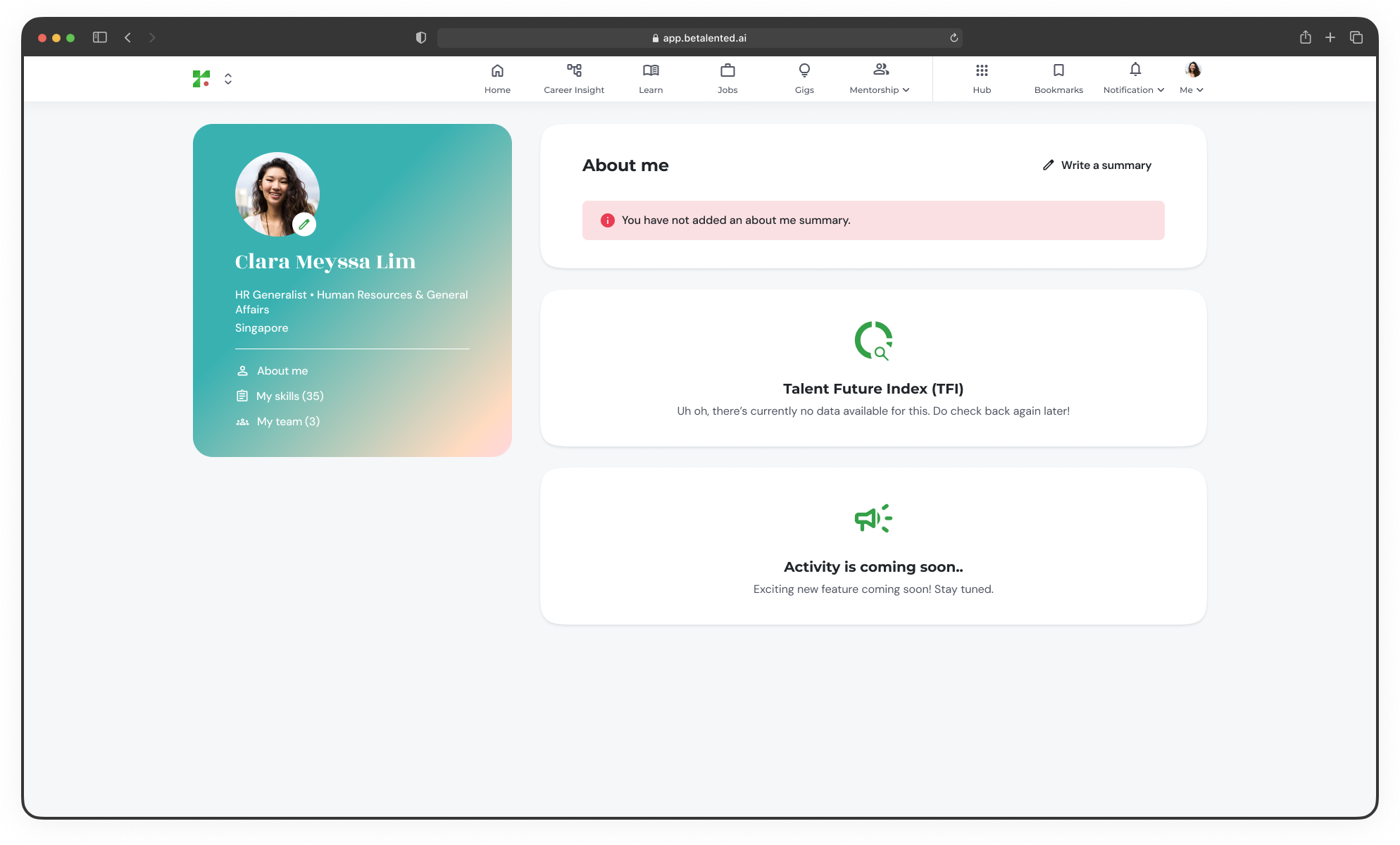 Your summary should highlight your key achievements and career goals.
* Click the **Write a summary** icon next to the summary section.
* Keep it concise – 3 to 4 sentences is usually best.
* Highlight your most critical "Core Skills".
## Managing your CV
Your CV is the primary source for your initial skills profile. Whenever you gain new experience, it’s a good idea to upload a fresh version.
Go to [**Profile page**](https://app.betalented.ai/profile) > **My skills**.
Click **Upload New CV** and select your latest resume file.
The platform auto populate your new skills to your skills profile.
Updating your CV will not delete your manual skill refinements unless you choose to reset your profile completely. By updating your skill profile we will also update your recommendations and match score.
Your summary should highlight your key achievements and career goals.
* Click the **Write a summary** icon next to the summary section.
* Keep it concise – 3 to 4 sentences is usually best.
* Highlight your most critical "Core Skills".
## Managing your CV
Your CV is the primary source for your initial skills profile. Whenever you gain new experience, it’s a good idea to upload a fresh version.
Go to [**Profile page**](https://app.betalented.ai/profile) > **My skills**.
Click **Upload New CV** and select your latest resume file.
The platform auto populate your new skills to your skills profile.
Updating your CV will not delete your manual skill refinements unless you choose to reset your profile completely. By updating your skill profile we will also update your recommendations and match score.