

Dashboard
When you open Talent Attraction, you see a dashboard listing all your job posts with key metrics at a glance.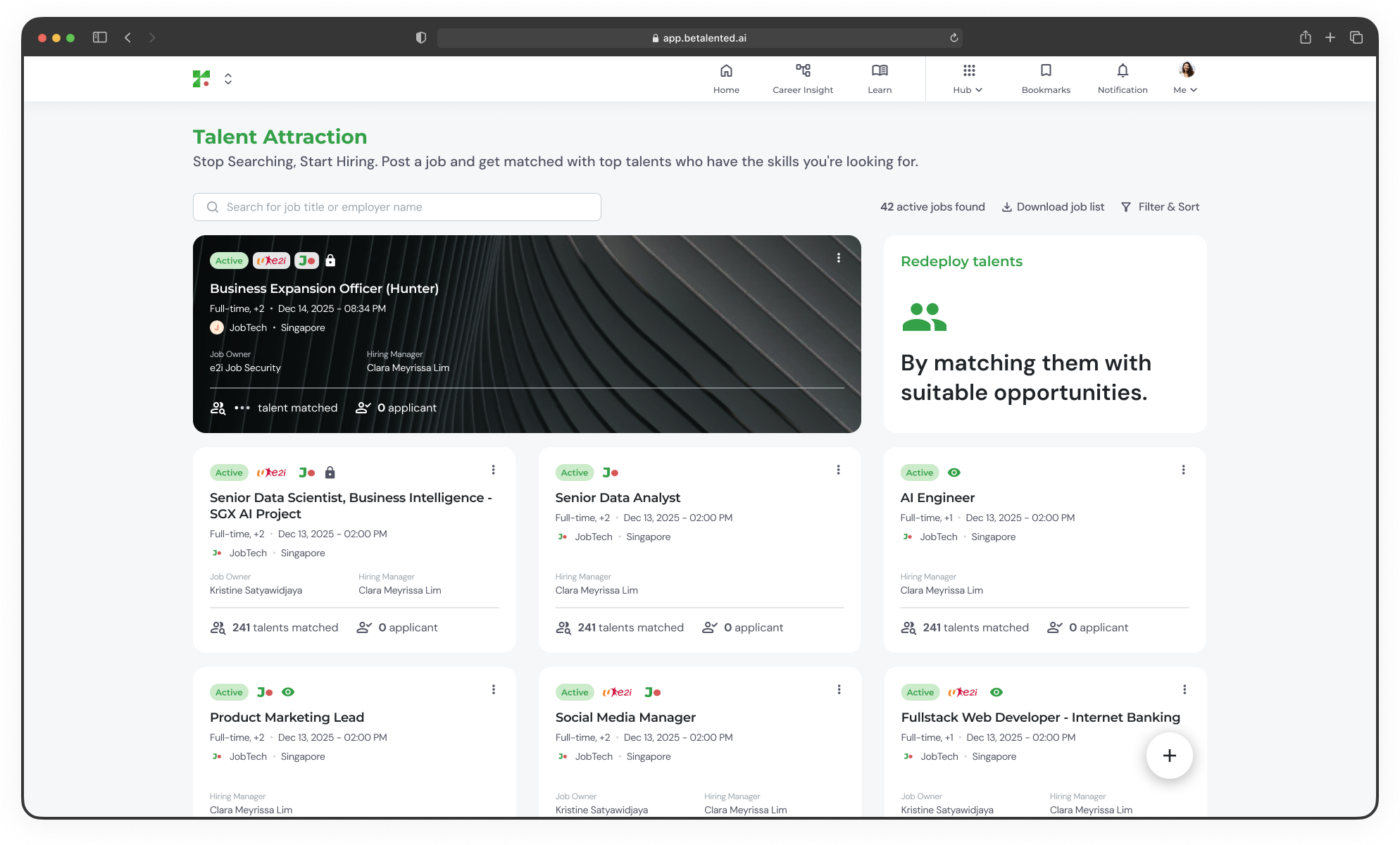
- Active jobs counter — Total number of currently active job posts
- Job cards — Each card shows the job title, employment type, region, posting date, match and applicant counts, and the assigned hiring manager
- Status indicators — Quickly identify which posts are active, pending approval, or inactive
Filtering and sorting
Use the Filter & Sort controls to narrow down your view. Available filters include:
You can also sort by Latest or Oldest posting date.
Quick actions
From the dashboard, you can:Post a new job
Create a new job post with skills-based matching.
Manage existing jobs
Edit, duplicate, extend, or close your job posts.
Review talent
View matches, invite candidates, and manage applicants.
Download job list
Export your active job listings.