

This section is available to users with a Manager role.
Team Insights
When you open Team & Members, you will see a high-level summary of your team’s learning and development.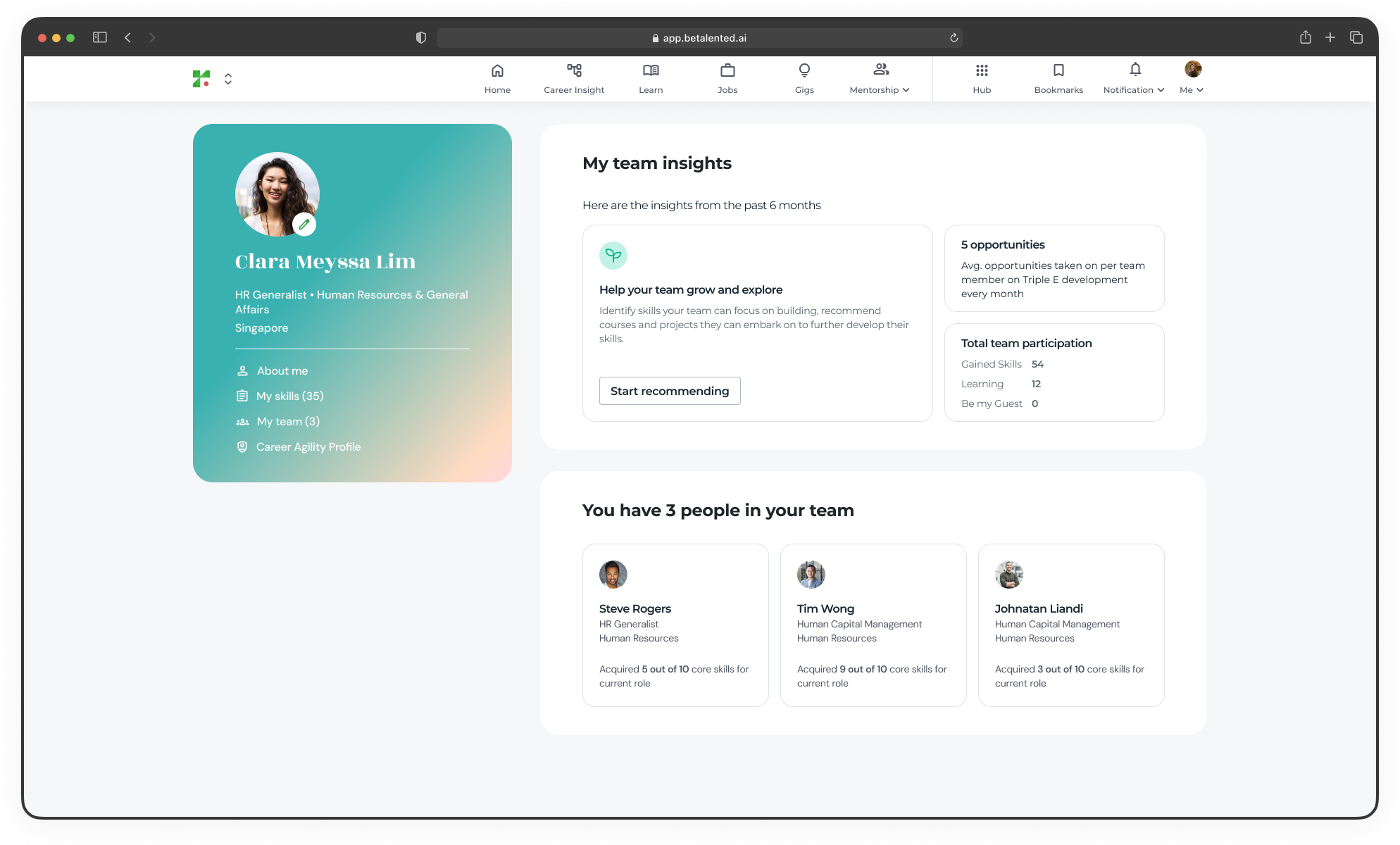
- Avg. opportunities taken on per team member on Triple E development every month
- Total team participation (Skills gained, Learning and Gigs)
Member profiles
Click on any team member to view their individual talent profile, skills overview and recommendations shared.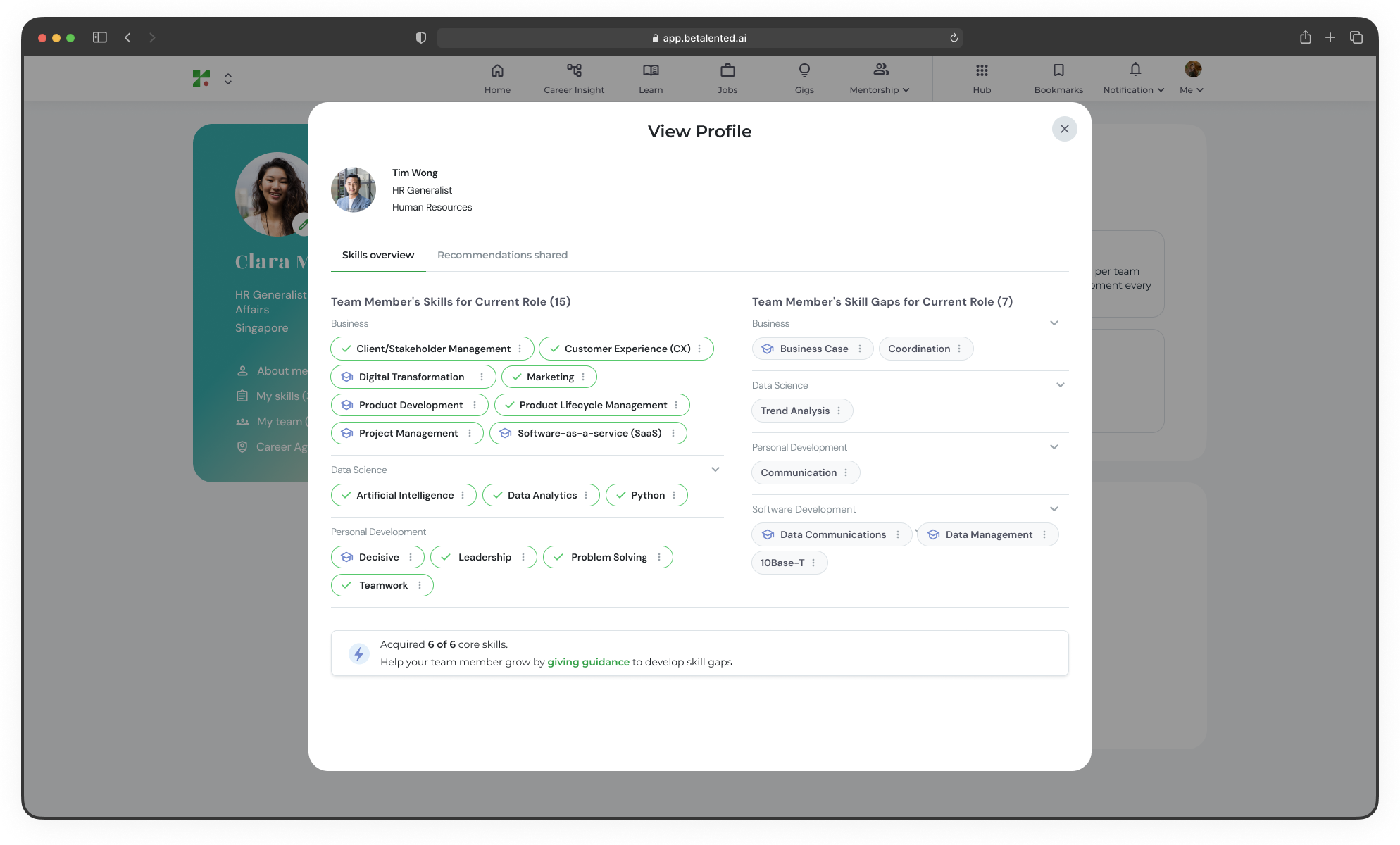
Help your team grow and explore
As a manager, you can recommend specific skills for learning, gigs, or jobs opportunities to your team members.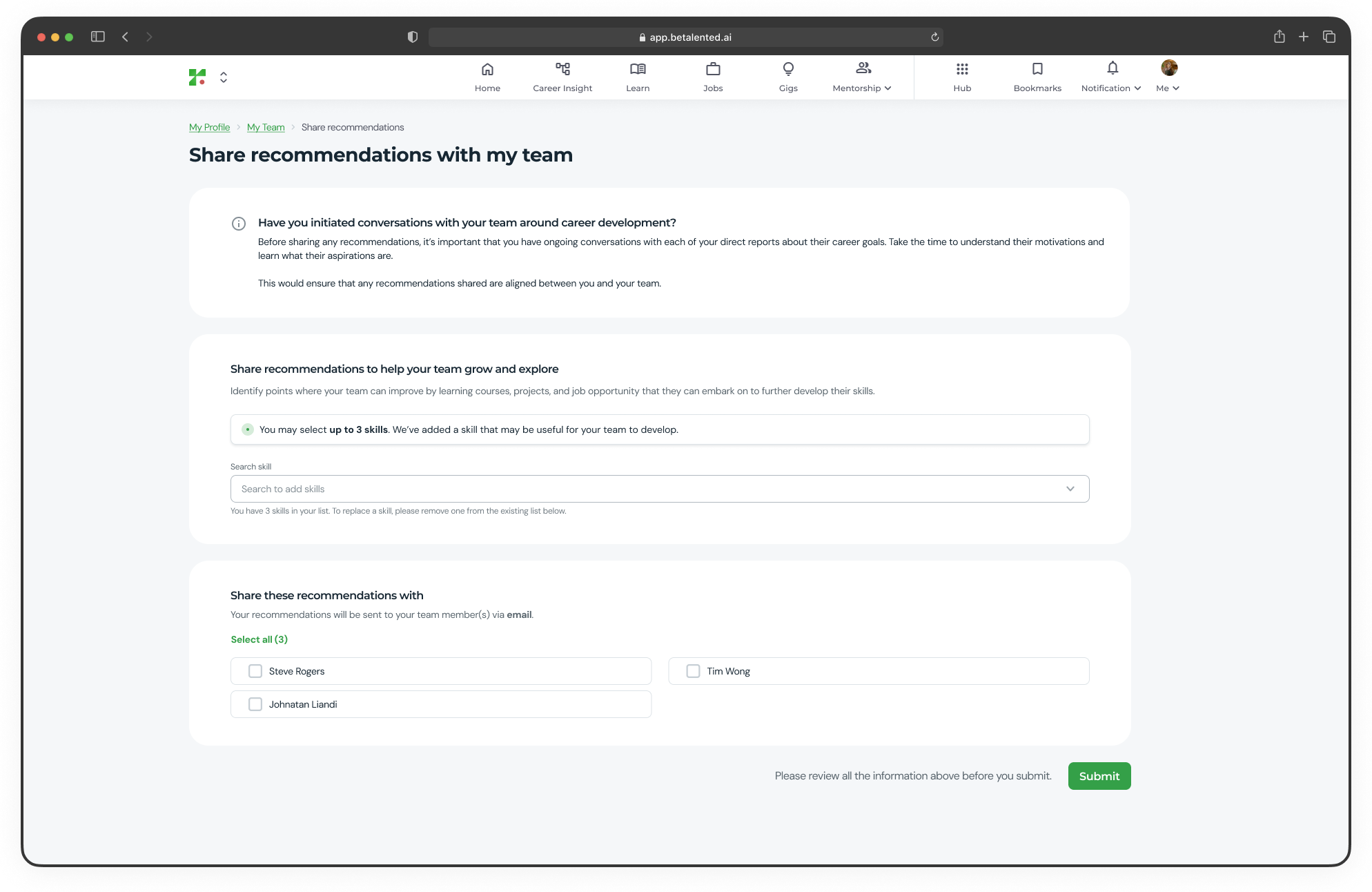
1
Share team recommendations
From the Team & Members page, click Start recommending.
2
Select skills to recommend
Inside the share recommendations page, search and select the skills you want to recommend. For each skill, you can:
- Add a personalised note explaining why you think the skill is relevant
- Attach recommended learning opportunities or gig opportunities
3
Choose recipients
Select which team members will receive the recommendations. You can choose one or more members from your team.
4
Review and submit
Review all the information and click Submit. The selected team members will be notified by email.