

1
Retrieve Your Skills
You can populate your skills in two ways: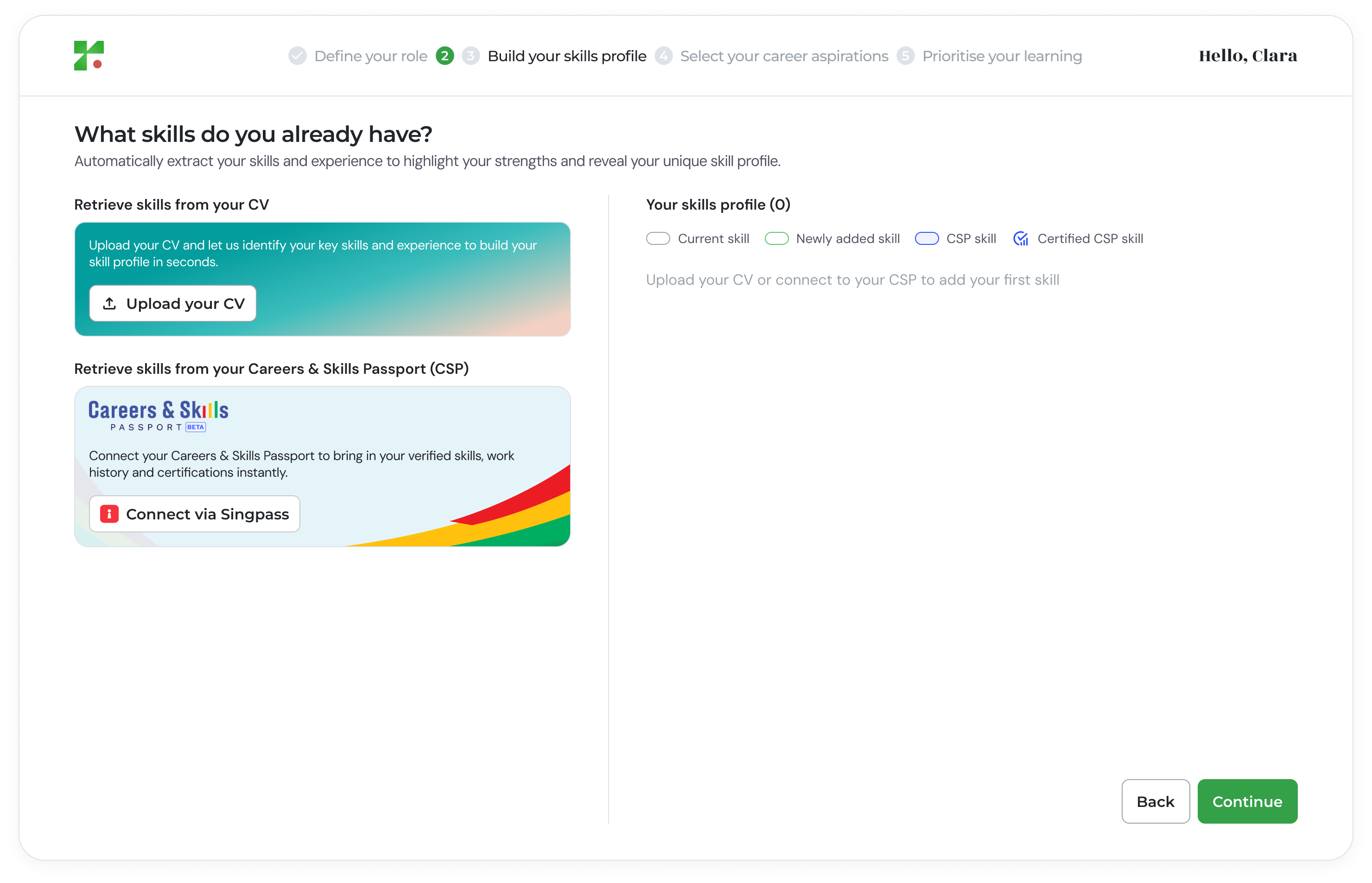
- Option A: Upload Your CV: Upload your CV to automatically extract and populate your existing skills.
- Option B: Connect to Certified Skills: For Singapore Citizens and Permanent Residents, you can retrieve verified skills from your SingPass account.
2
Review Retrieved Skills
After retrieval, you will be able to: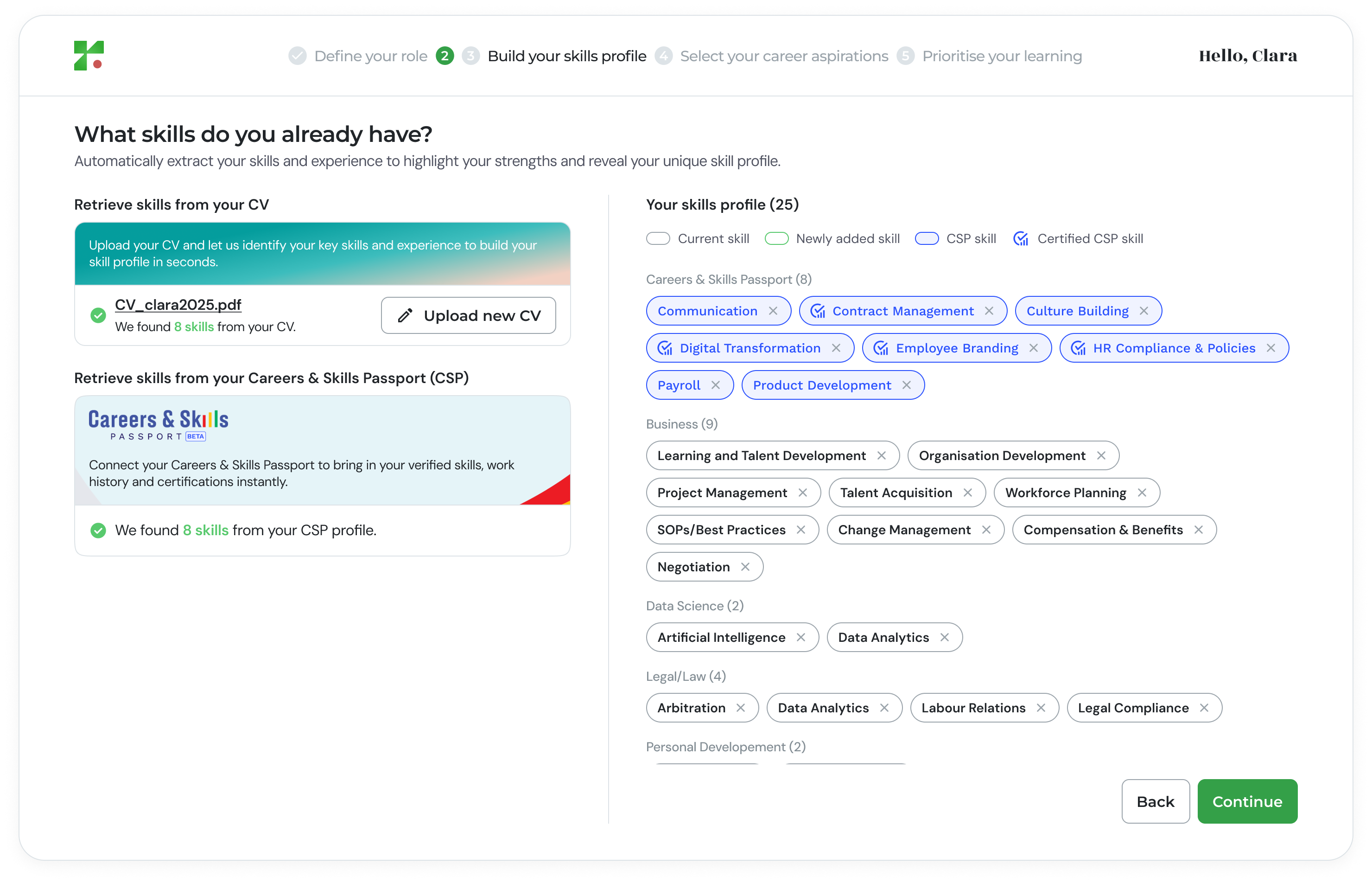
- View the number of skills extracted
- See all populated skills in your profile
- Remove any skills that are not relevant (click the “×” icon)
3
Refine Your Skills
If you did not upload a CV or connect certified skills, this section will initially be empty. You must add at least one skill to proceed.You can refine your profile by: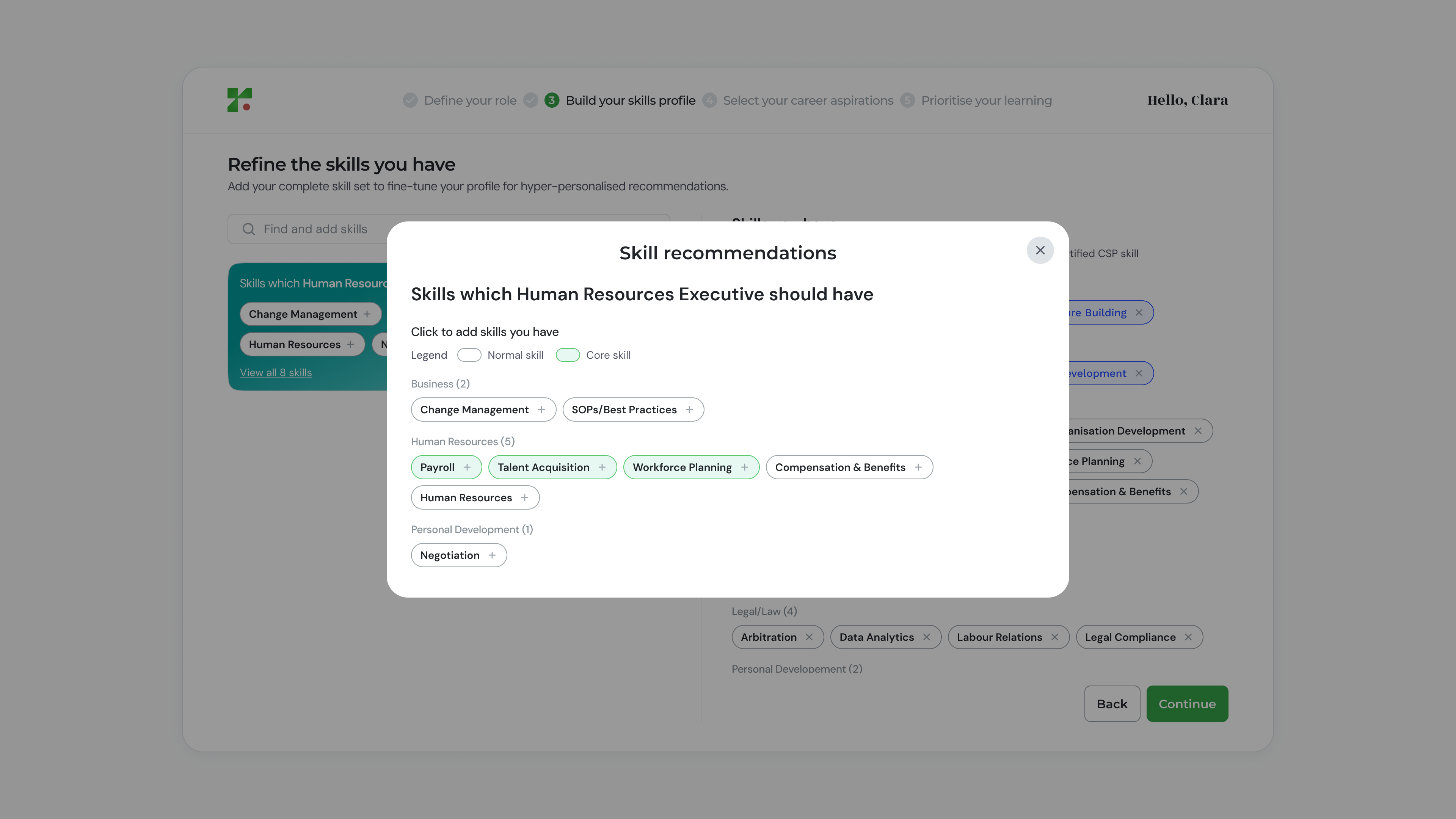
- Confirming skills retrieved from your CV or certified records
- Adding recommended skills based on your selected role
- Adding skills manually
4
Add Recommended Skills
The platform will suggest skills relevant to your selected role. You can click on a suggested skill to add it, or select “View all skills” to see more.
5
Add Skills Manually
If a specific skill is not listed, you can search and add it manually. Start typing the skill name and select the match from the list.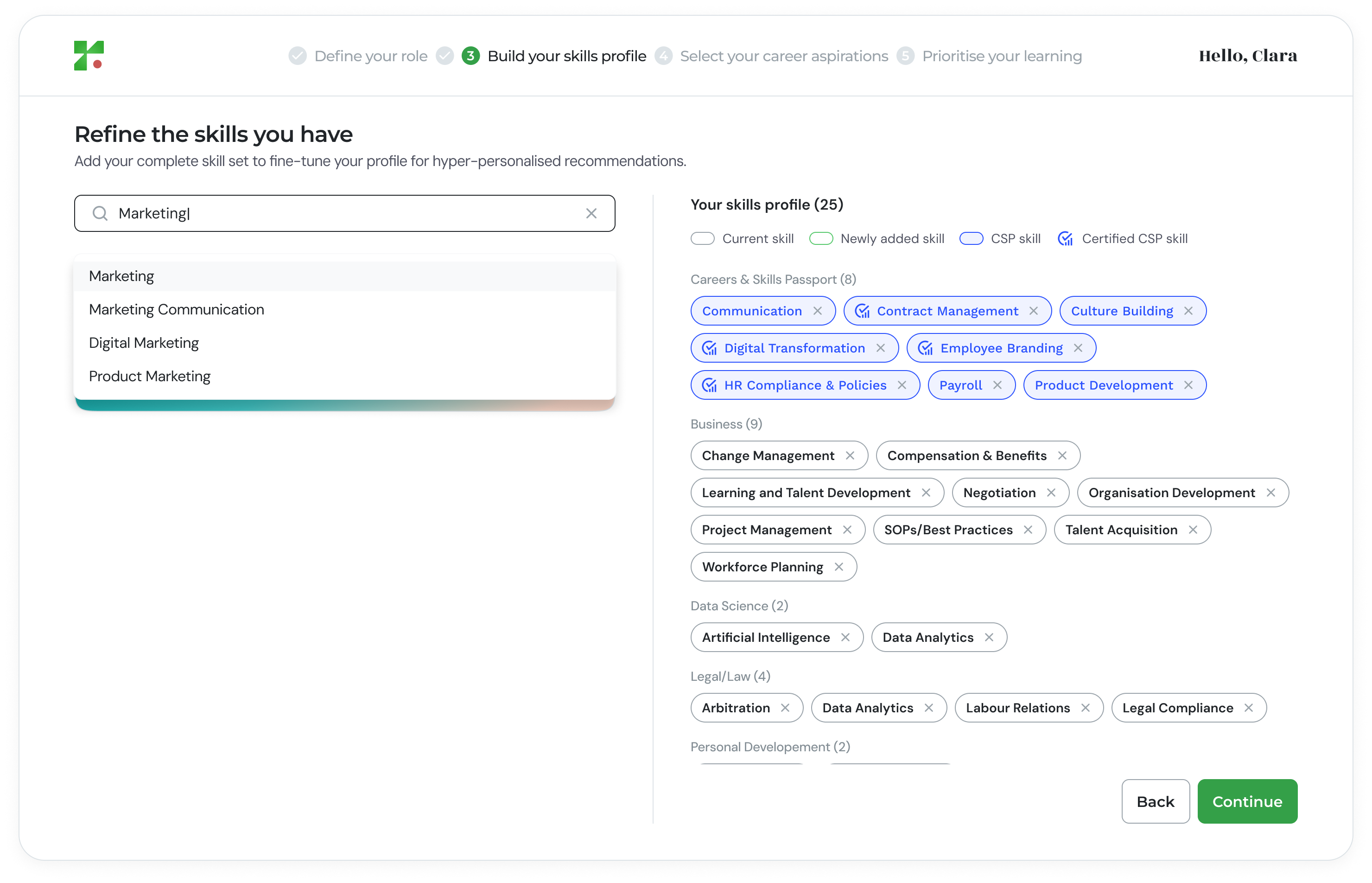
Why This Step Matters
Your skills profile is the foundation for:- Accurate skill gap analysis
- Career pathway recommendations
- Personalised learning suggestions
- Internal mobility opportunities