

1
Search for roles
You have two primary ways to find your desired roles:
- Company Job Framework: Search for roles defined specifically within your organization’s internal structure.
- JobTech Global Job Database: Search from the wider global JobTech database.
2
Select from recommendations
The platform provides a list of relevant roles based on your current profile and skills. You can indicate up to 3 desired career aspirations.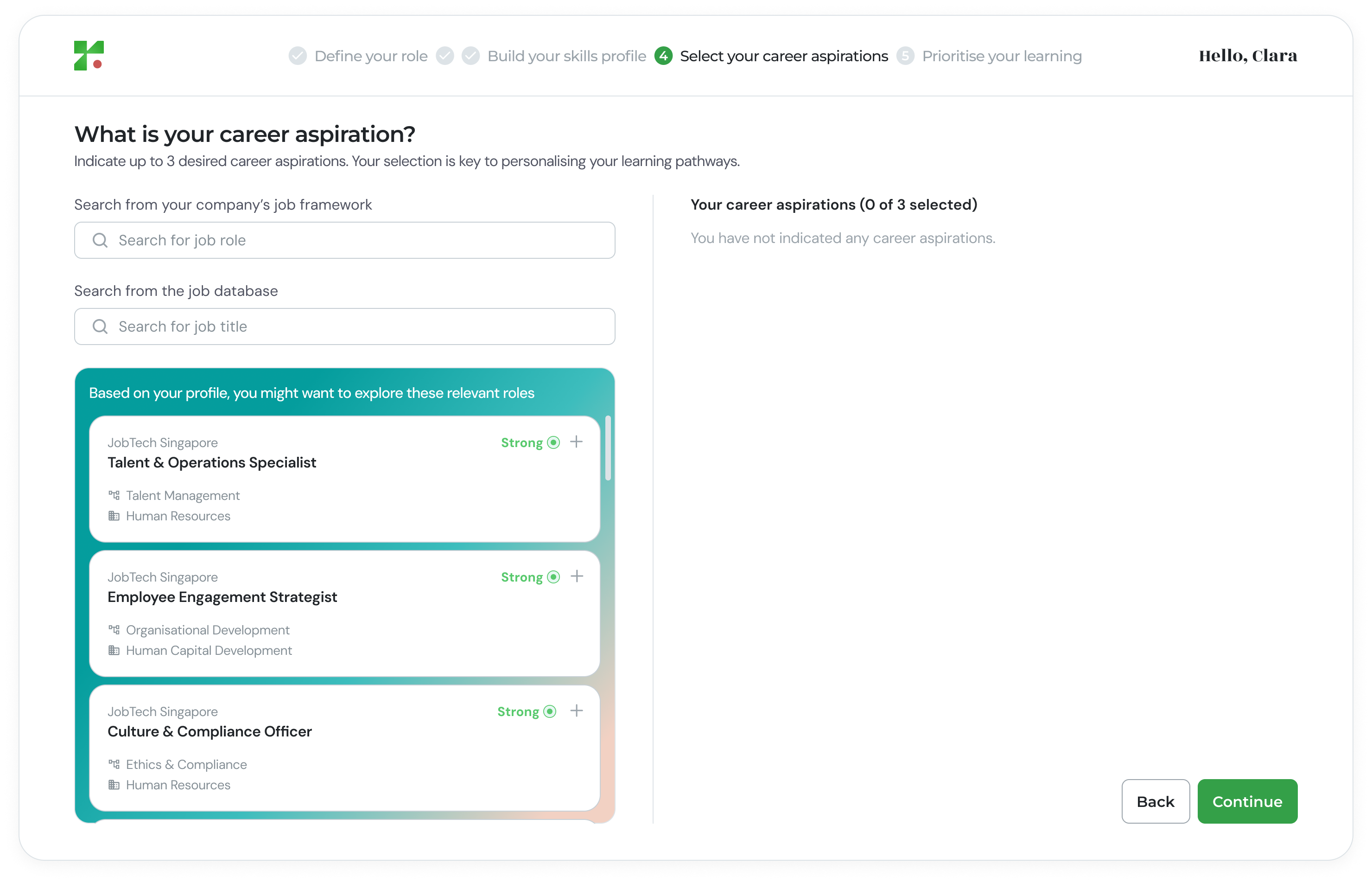
- Look under the “Based on your profile…” section.
- Select the aspired role you are interested in.
- Review match indicators (e.g., “Strong”) to see how your skills align.
- Click the ”+” icon or the role card to add it to your aspirations.
3
Review your aspired roles
As you select roles, they will appear in the “Your career aspirations” column.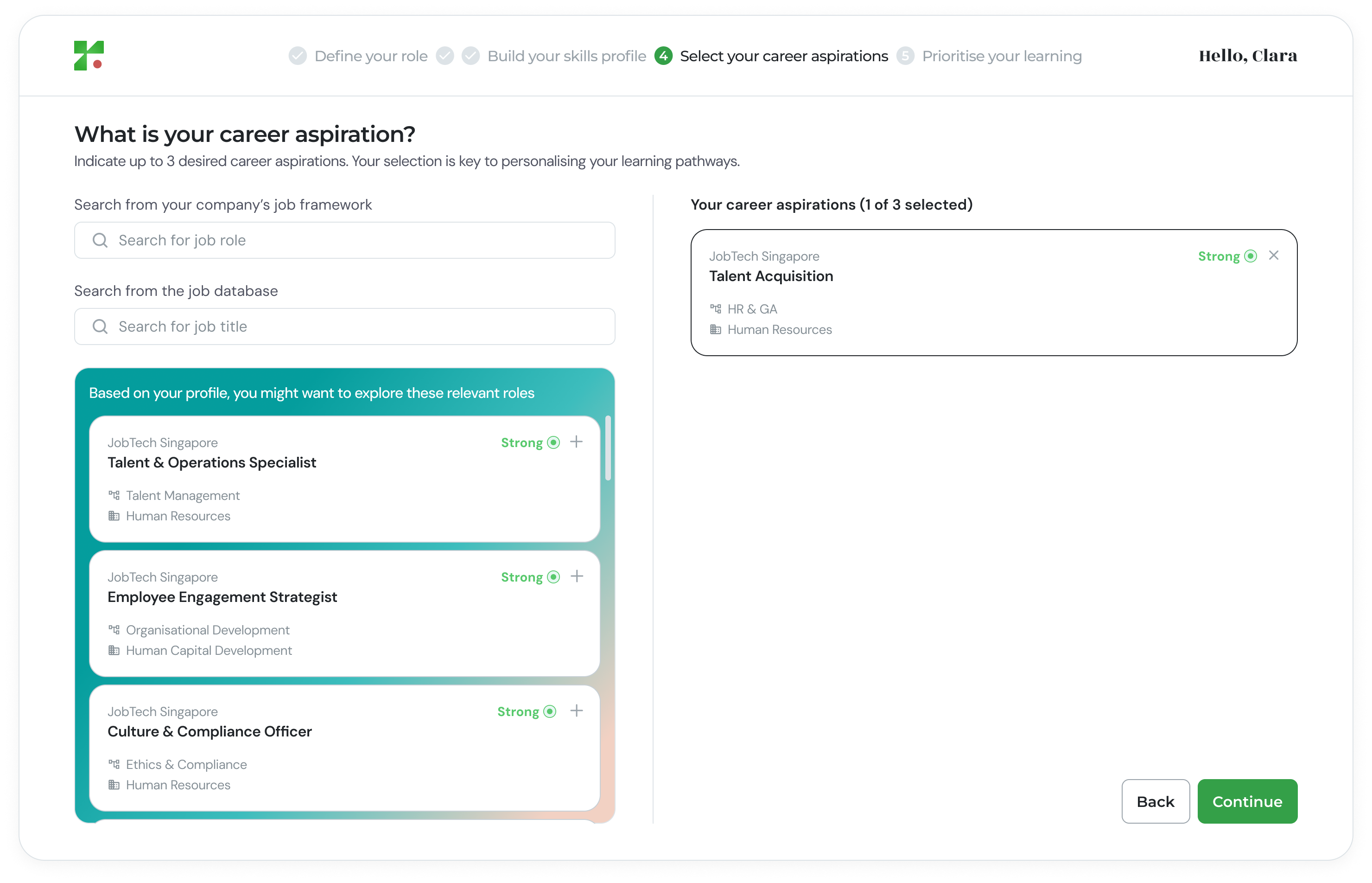
- To Remove a Role: Click the “X” icon on the role pill.
- To Add More: Continue searching until you reach the limit of 3.
Why This Step Matters
Setting your career aspirations is critical for:- Personalized Learning Pathways: Unlocks hyper-personalized learning opportunities.
- Identifying Skill Gaps: Pinpoints specific Core Skill Gaps you need to bridge.