

Option A: Select from Your Company’s Job Framework
If your organisation has set up its job architecture, you can select your role directly from the internal job framework. This ensures your role aligns with your company’s structure.Option B: Search from the Job Database
If you cannot find a role that represents your current position, you can search for a suitable role from the platform’s job database.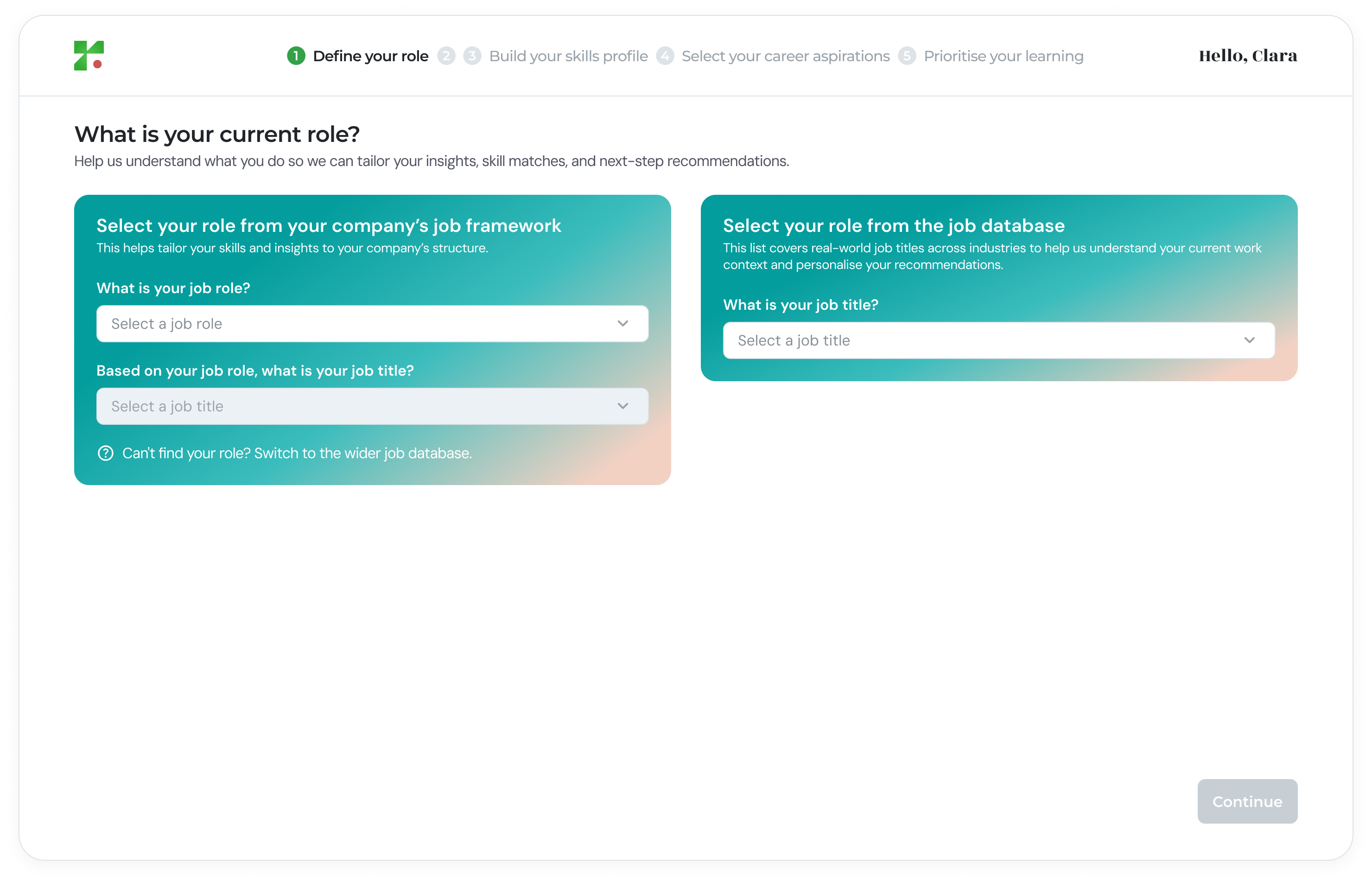
If No Job Architecture Has Been Set Up
If your organisation has not configured its job architecture, the internal selection panel will be disabled. In this case, you can select your role from the job database to proceed.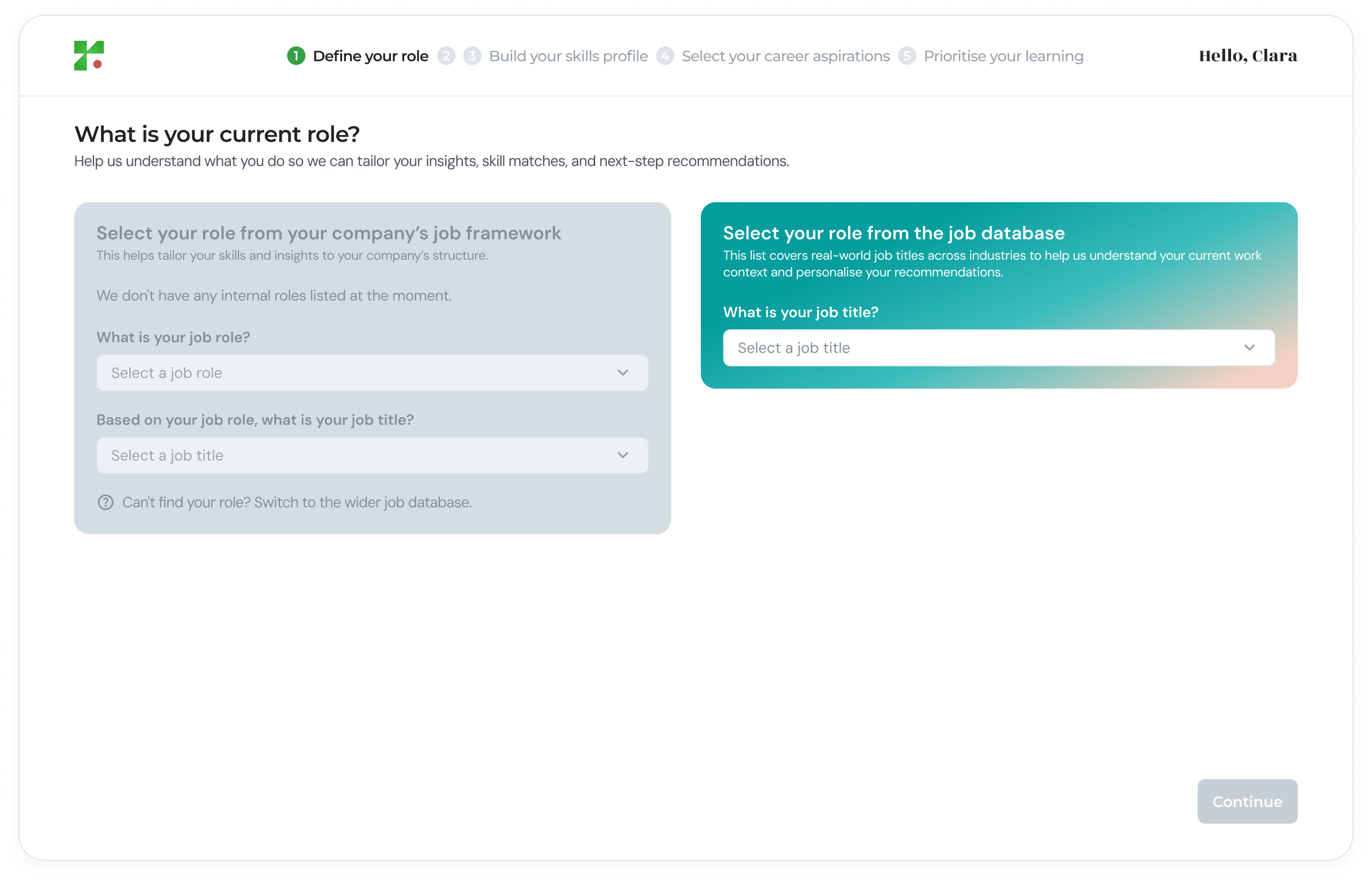
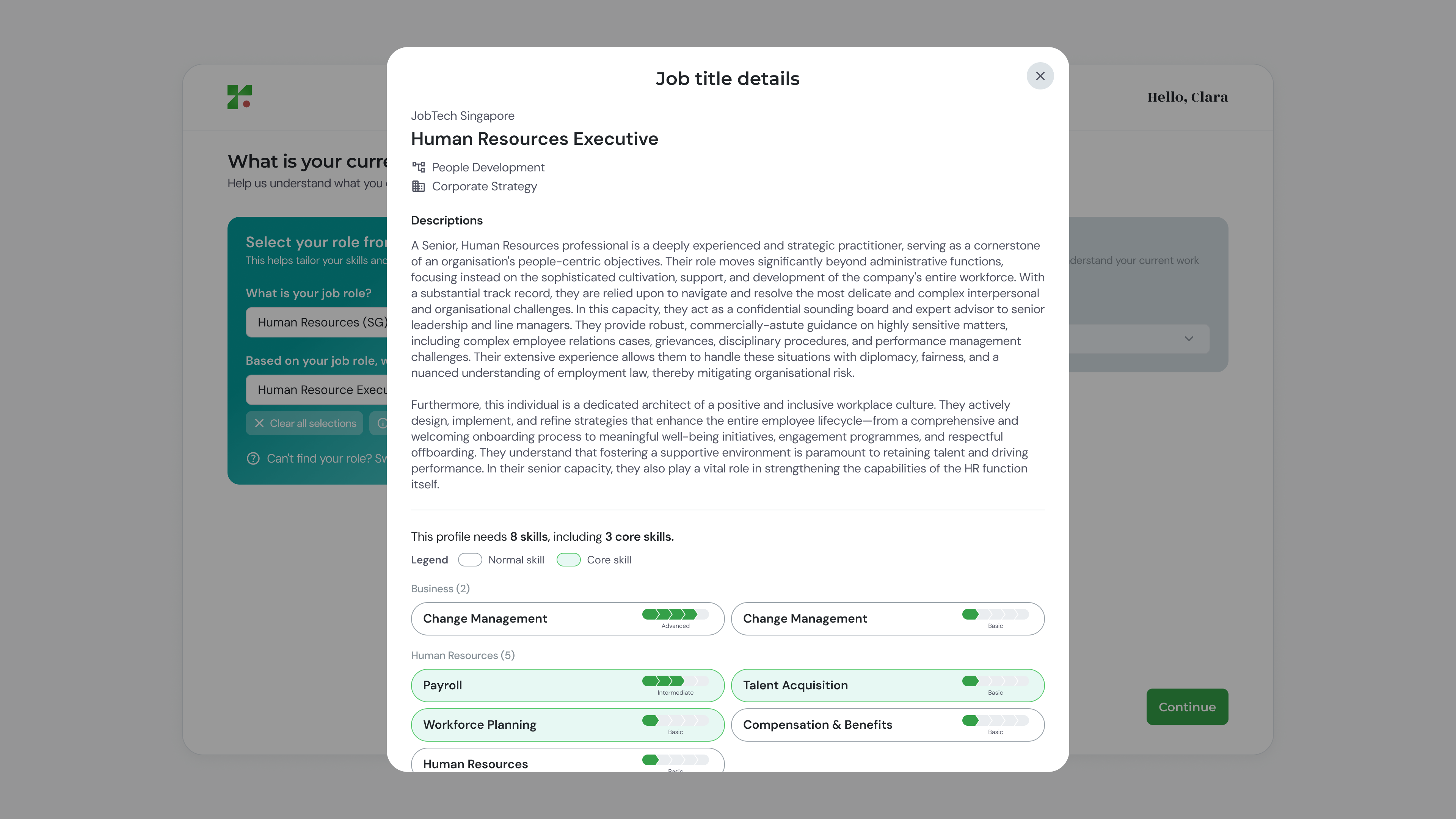
Viewing Role Details
After selecting a role, you can clear your selection if you wish to choose a different role or view detailed job information.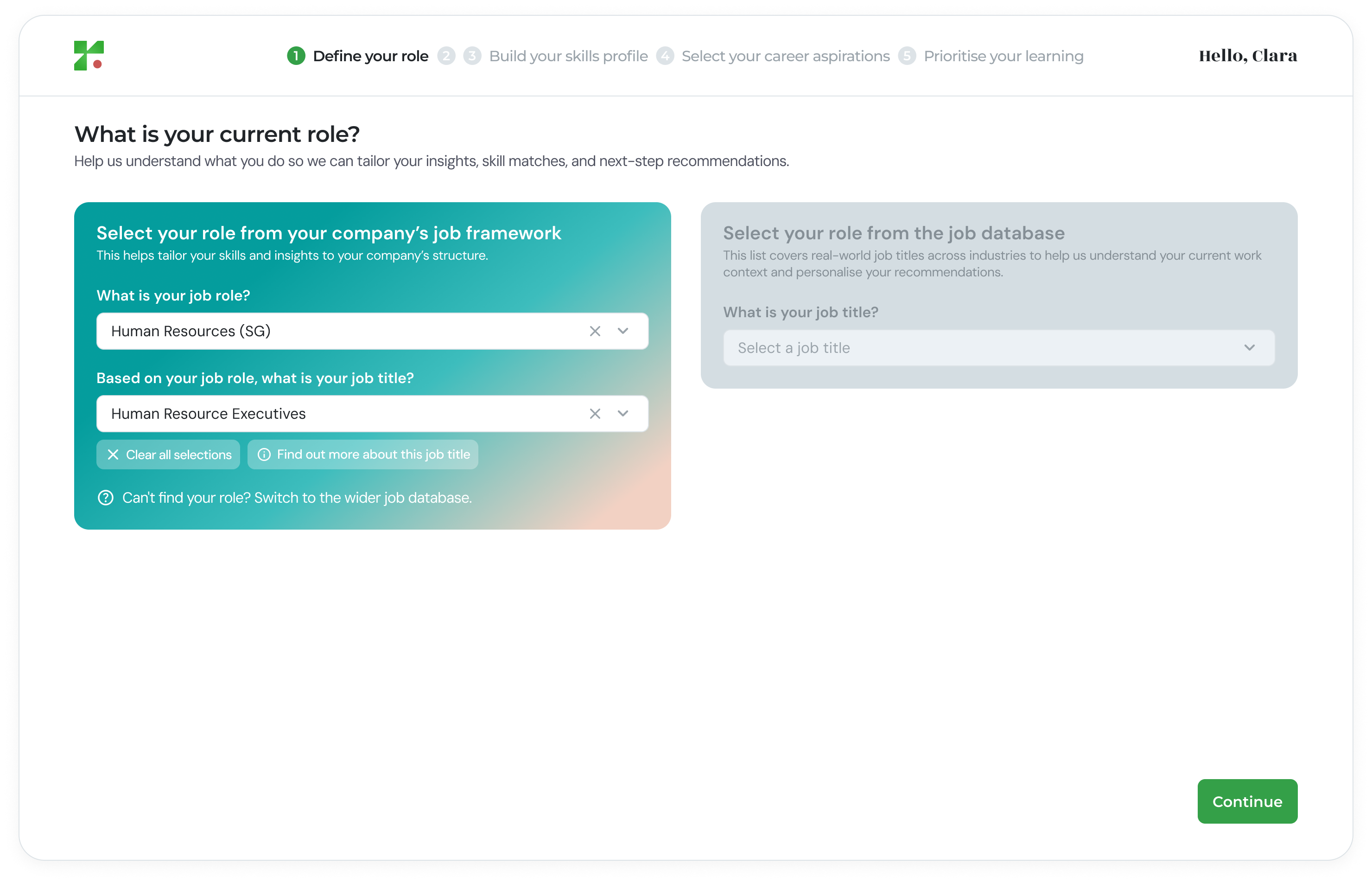
- The job description
- Required skills for the role
Why This Step Matters
Defining your role ensures:- Your skills profile is mapped accurately
- Skill gap analysis is relevant
- Career and learning recommendations are aligned to your current position